Inference Hub
UCloud AI's native integration provides a zero-configuration environment that unifies data storage, computing power, and advanced AI models. As a result, research teams can instantly launch scalable workflows and collaborate seamlessly within a single, secure infrastructure.
Access Portal
Upon successful login to UCloud, the icon can be found in the side menu. Clicking this icon takes the user to the UCloud AI access portal:
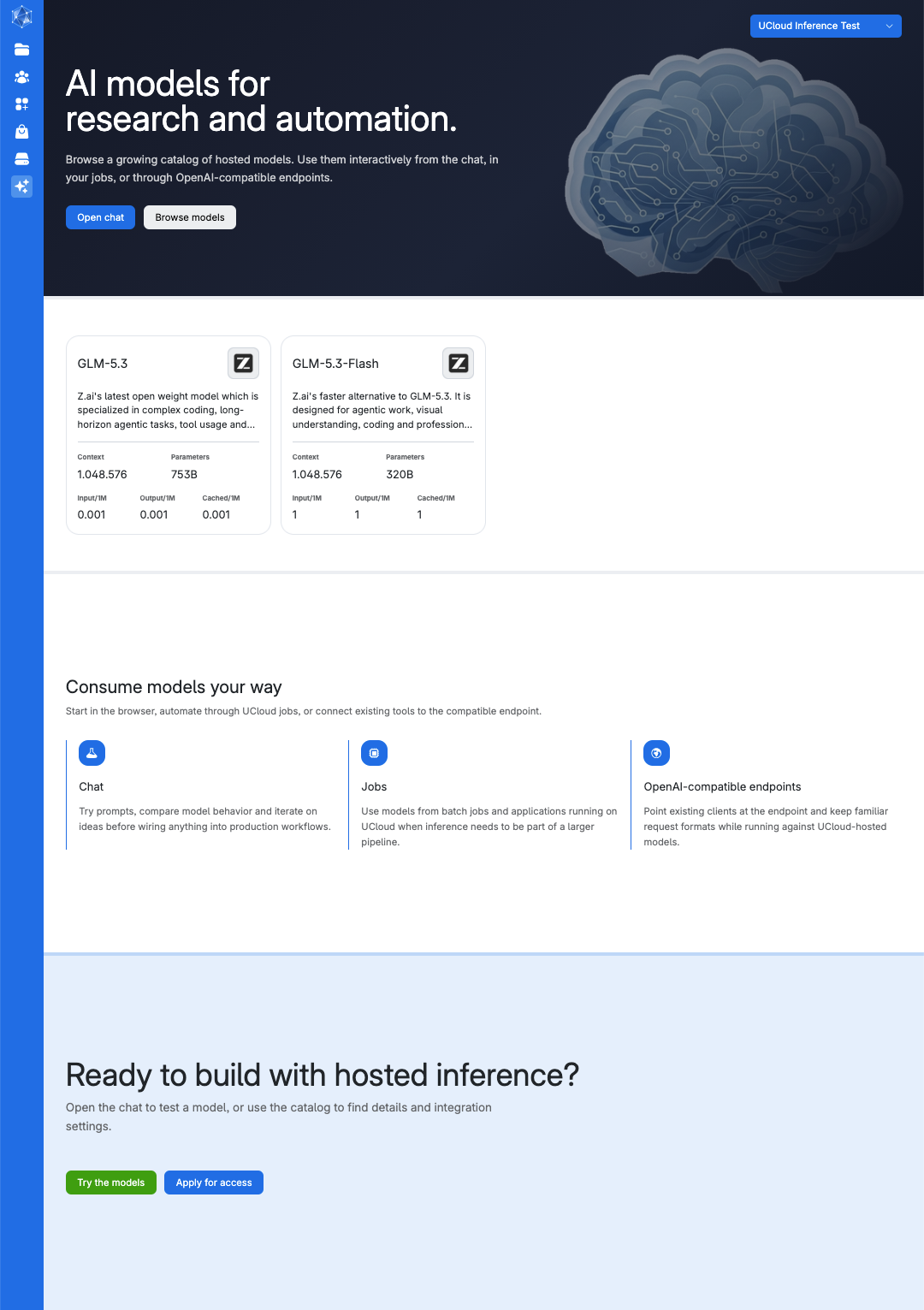
This page serves as the primary gateway to the platform's AI features. From here, users can browse the available models by clicking the button
or navigate straight into an active chat session.
In addition, to help users quickly identify the best tool for a specific project, the page features a dedicated card for each supported model, providing an at-a-glance snapshot of its capabilities.
The platform supports the following high-performance, open-weight Large Language Models (LLMs):
Model |
Parameters |
Context length |
|---|---|---|
753B |
1.048.576 |
|
320B |
1.048.576 |
For most workloads, GLM-5.3-Flash offers the best value, but you can scale up to GLM-5.3 for complex reasoning tasks.
Note
The model catalog expands continuously as new state-of-the-art open-weight models are added upon their release.
At the bottom of the page, users can apply for inference credits by clicking the button
Model Playground
Clicking a model card within the platform's access portal opens the model playground page.
For instance, for the GLM-5.3 model:
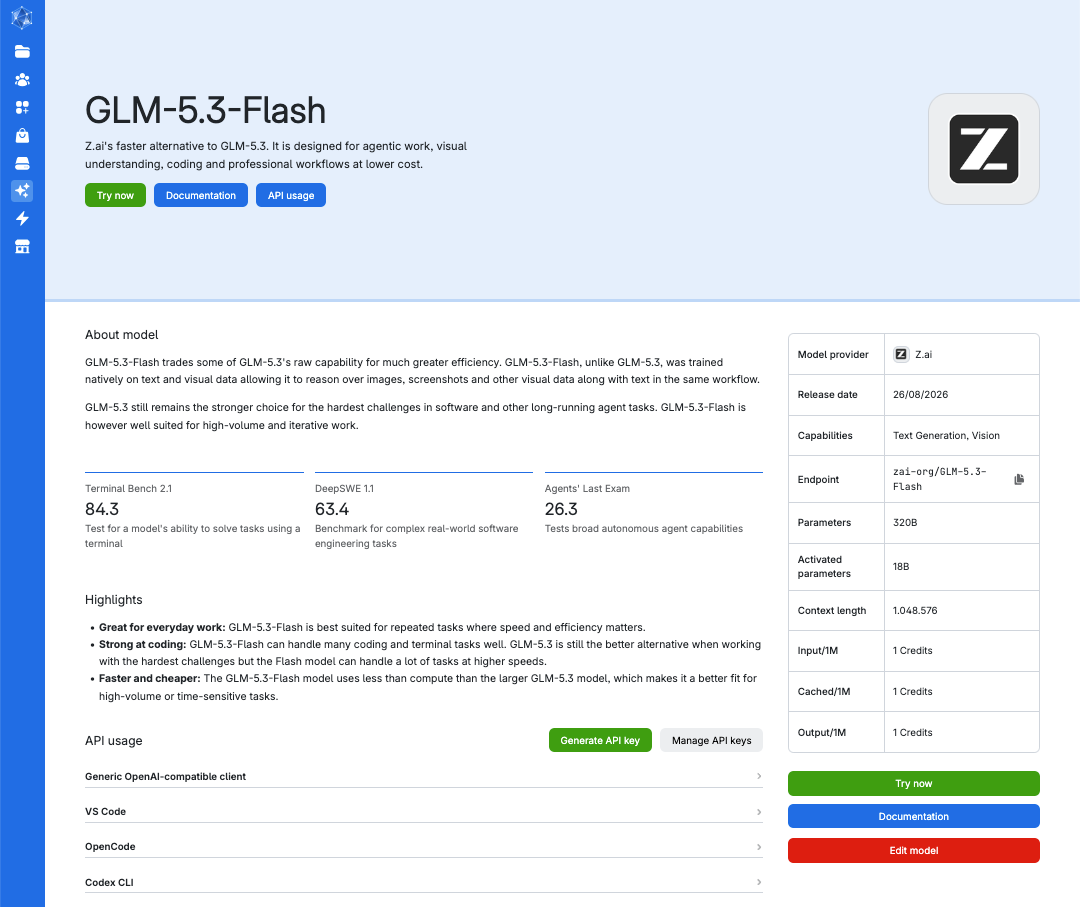
which details technical specifications, API key management, and access to the integrated chat interface.
Model specs
Select a card to view its model architecture and a breakdown of operational costs. Each model card highlights key information, including:
Model metadata: Reviews core technical specifications, including foundational training datasets, total vs. activated parameters, and maximum context window size.
Core strengths: Identifies the model's specialized capabilities, such as advanced code generation, logical reasoning, and multilingual processing.
Token pricing: Displays transparent, real-time pricing per million tokens, with specific rates for standard input, cached input, and generated output tokens.
Users can try the model by clicking the button
This will give direct access to the integrated chat interface.
Generate API keys
Generate an inference API key, also referred to as an API token, directly from the model playground page by clicking the button
The server address and API key will then be displayed on screen:

Note
API key generation is only possible when an account holds active inference credits.
Clicking the button
will redirect the user to the API tokens page, which can be accessed from the Resources section of the navigation menu. New AI inference API keys can also be created from this page.
Important
Copy and save the server address and API key before leaving this page. They will no longer be displayed after you leave.
Contents